Spline Render
Loading…
The Spline Render component allows you to add a customisable 3D spline object with advanced controls to your website. This allows you to create a loading state for your Spline scene and define whether interactions with your Spline scene should be global or local.
Events
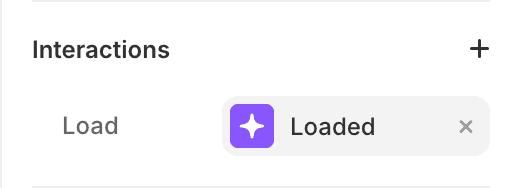
An event allows you to trigger a transition to a component’s variant when a specific action happens. The Spline Render component comes with a Load custom event:
Load
Triggered once the Spline Scene is loaded and ready to be displayed.
This event enables you to create a transition between a loading state and a ready state, as shown in the example.
Controls
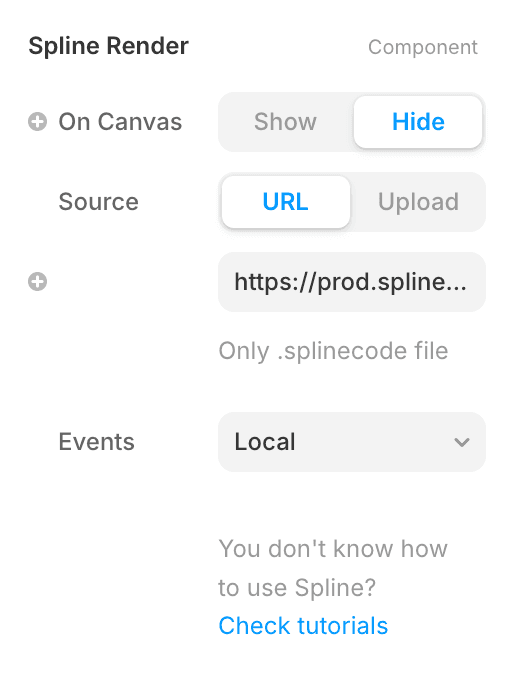
On Canvas
This allows you to show or hide the 3D scene on the canvas. When multiple scenes are displayed on the canvas, Framer can lag; this option prevents lagging.
Source
You can either use a Splinecode URL file that is hosted directly on your Spline project — check how to export your scene — or upload a Splinecode file.
URL
The production URL is available via your export settings
Events
You can define how the interaction operates. They can be global or local. Global events happen in the entire browser window. Local events only occur within the scene. Read Spline documentation
FAQ
What is Spline?
Spline is a browser-based 3D design tool that lets you create, animate, and publish interactive 3D content — all without needing advanced 3D modeling skills. Visit Spline.design for further details.
How to create 3D scenes on Spline?
You will need to create the scene directly on the Spline website. Go to Spline.design and create a free account. Their YouTube channel has plenty of useful tutorials.
What are custom events, and how are they used?
Events are an important part of components in Framer, and essential for creating all types of interaction. Custom events are events that are not natively part of Framer and are brought by Code component, allowing you to create more types of interaction. If you want to learn more about components in Framer, I recommend this Framer.university tutorial.
Where to find the .splinecode file URL?
The URL is available via the following path in your settings: Settings > Web > Viewer > Overview. It starts with prod.spline.design
e.g.: https://prod.spline.design/Xfbck5MFY7GztNiO/scene.splinecode.
Didn’t find what you’re looking for?